Pictwirl guide · Updated November 3, 2026
How do I start a digital collage from one photo?
Try a single-photo Second World composition: original photography above, connected ivory-paper collage below. Includes planning tips, a prompt and free credit rules.
By Pictwirl · About the studio
The short answer
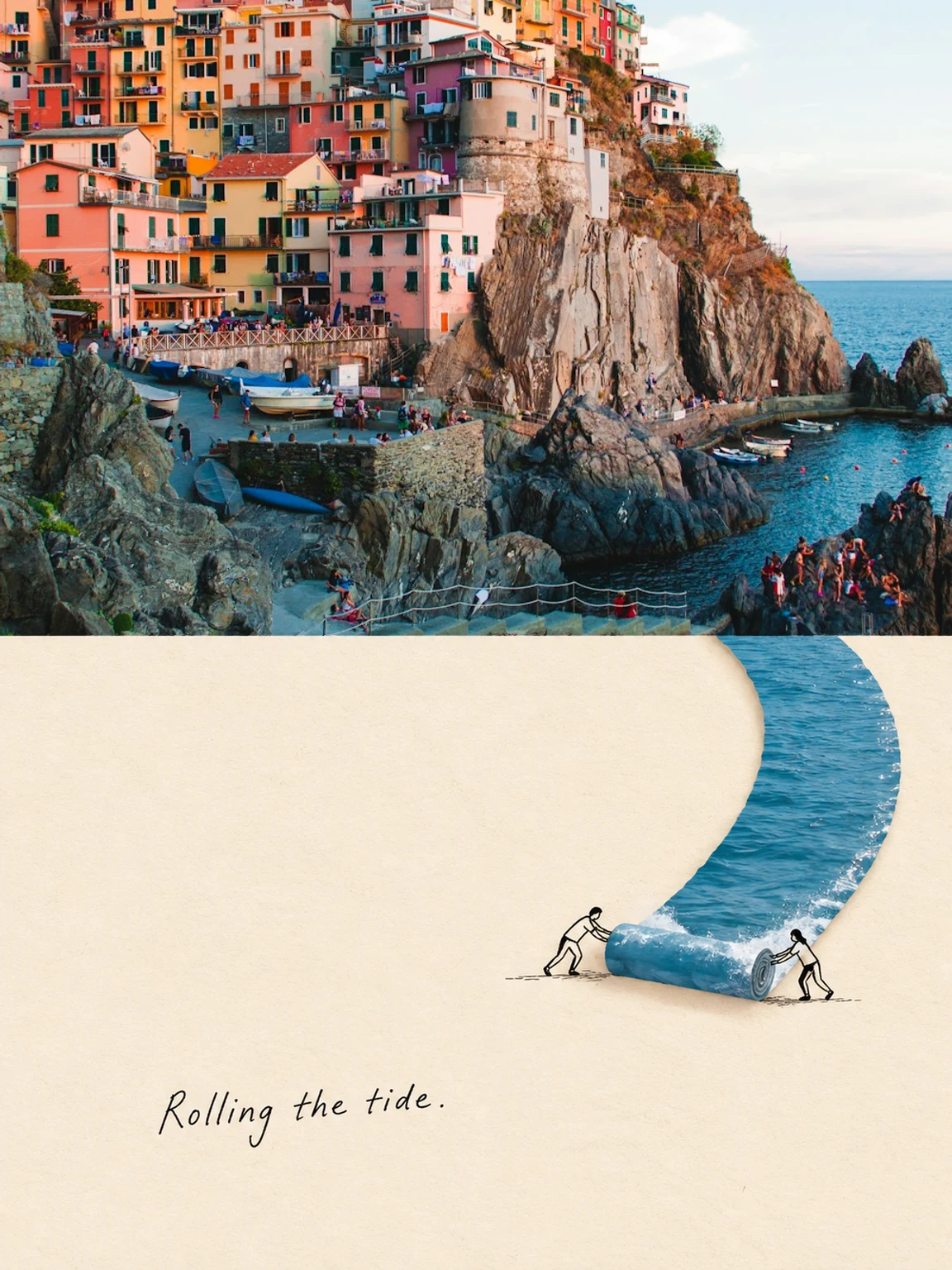
A beginner can start a digital collage by choosing one photograph and one visual idea, rather than adding many unrelated elements. Pictwirl’s Second World tool is a specific single-photo approach: the upper half keeps a crop of your original photograph, while the lower half continues a road, branch, shoreline or other structure onto ivory paper with restrained collage and black linework. The output is a portrait 3:4 poster split into equal halves. It is not a multi-photo grid editor or a Photoshop-style layer workspace. New verified accounts receive 30 free credits once, enough for three generations at 10 credits each. Availability and content review apply, and generation may currently be paused. Choose a photo with a strong structure reaching the center seam, describe one connected interaction, then inspect continuity before downloading the finished poster.
30 free credits. Your first 3 images.
New verified accounts receive 30 free credits once. Each image generation costs 10 credits: enough for 3 generations. Gift credits do not expire. Availability and content review apply.
Generation paused while safety screening is configured. No payment required.
Try Connected paper collage
Your matching template is already selected. Upload your own authorized photo, review the instructions and confirm permission before submitting. Each generation uses 10 credits.
Generation paused while safety screening is configured. No payment required.
Creative studio
Your creation appears here
Choose a photo and a look to get started.
Style inspiration, not guaranteed results.
A practical workflow
Find a structure to continue
Look for a branch, road, water edge, reflection or beam of light that can naturally extend from the photograph into the lower half.
Upload one photograph
Each submission creates one independent poster. Do not combine several source photos. The upper half uses an aspect-ratio crop of the original.
Plan one lower-world interaction
Describe how that same structure changes on paper. For example, a branch may continue downward into a swing, rather than becoming an unrelated scene.
Inspect the join and save
Check that the selected structure crosses the middle seam and that the lower area has room to breathe. Review the short English caption and download within 24 hours.
A starting prompt to adapt
Use this as a starting point when generation is available. Adjust it to your authorized photo and intended setting.
Continue the main branch from the exact point where it meets the middle seam. On warm ivory paper below, let the branch bend into a minimal swing with one tiny black line figure interacting with it. Keep generous empty space, restrained collage and a short natural handwritten English caption. Do not change the upper photograph or create a detached scene.
Before you generate
- Choose a source element that reaches the middle boundary.
- Keep the upper original photo and lower paper world visibly connected.
- Use at most a few purposeful line figures, not decoration.
- Review the English caption and download the poster within its 24-hour window.
What this workflow does not guarantee
Second World is a fixed single-photo poster workflow. It does not merge multiple photos into a grid, provide editable layers or guarantee perfect text. Generated lower-half details and seam continuity need review; original top-half colors are preserved by composition.
Read content standards · Understand image processing and retention · Pricing and free credit rules
Common questions
Can I combine several photographs?
Not in Second World. It accepts one source photograph per independent poster. A general multi-photo collage editor is a different workflow.
Can I download the result later?
Second World images have a 24-hour access window. Download the result within that period; browser history does not extend image storage.
Can I create AI images for free?
New verified accounts receive 30 free credits once. Each image generation costs 10 credits: enough for 3 generations. Gift credits do not expire. Availability and content review apply.