Second world
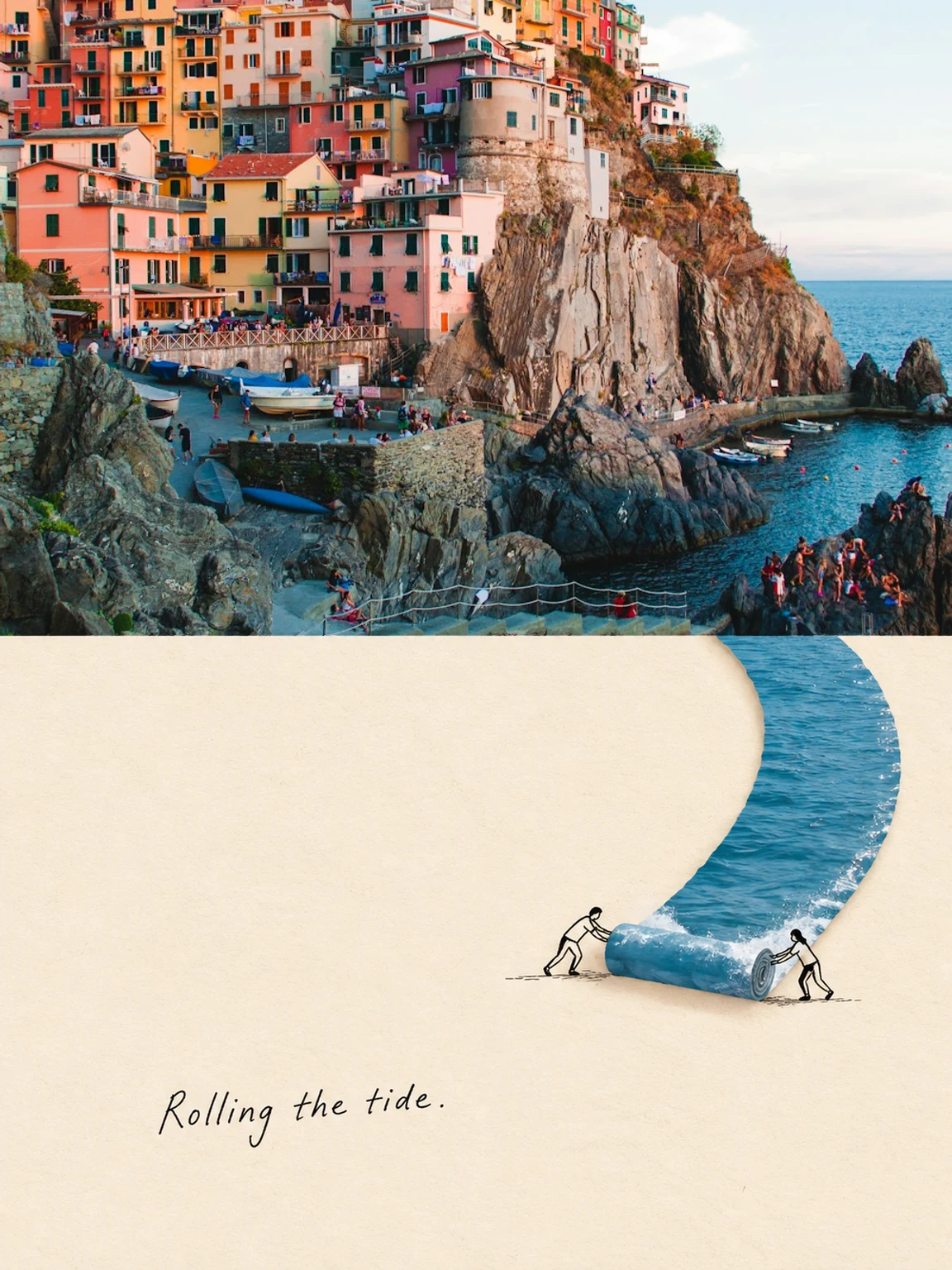
Your photograph above. An unexpected continuation in ivory paper, collage and black linework below. One scene, two worlds.
Creative studio
Your creation appears here
Choose a photo and a look to get started.
Style inspiration, not guaranteed results.
How to create · Second world
Look for one structure reaching the bottom of your photo. Its continuation must start at that exact point. Keep ivory paper spacious, collage restrained, and any tiny line-drawn figures physically connected to the structure. The handwritten caption is in English.
Results and limitations
The upper half uses your actual photo crop. The lower continuation and handwritten caption are generated, so the seam, interaction and lettering still need review. Download the poster within 24 hours. This template creates one independent poster at a time.
A few things you might wonder.
What can I create with Pictwirl?
Pictwirl offers AI portraits, face swaps, and parallel-world images. Choose a dedicated tool, upload your images, select a template, and add your own direction. Results depend on the source image and model.
How do I get a natural-looking result?
Use a sharp, well-lit photo with an unobstructed face. For face swaps, choose source and target faces with similar angles. Review the generated image carefully; identity and fine details can vary.
What is a Second World poster?
A Second World poster is a vertical 3:4 composition: your photo occupies the upper 50%, while a physically connected paper-and-linework continuation occupies the lower 50%. A road, branch, shoreline or beam of light crosses the center seam. The bottom uses warm ivory paper, restrained collage, minimal black drawings and a short handwritten English caption. It is not an anime reflection or a separate scene.
How are my uploaded photos handled?
Images and instructions are sent to the configured provider, whose retention policy applies. Portrait and face-swap inputs are processed in memory. Second World temporarily stores an encrypted upper photo crop until composition, then replaces it with the encrypted finished poster. Poster images expire after 24 hours and are cleared on access or the next cleanup. Browser history does not extend that window.
Can I use Pictwirl in my language?
The interface and core tool pages support 15 language versions. Switch languages from the header without losing your current page. You can write creative instructions in your preferred language.